
Google Ads is one of the most powerful online advertising platforms for businesses that want instant visibility, targeted traffic, and fast lead generation. With Google Ads, businesses can show their ads on Google Search, YouTube, websites, and mobile apps exactly when potential customers are searching for their products or services. This complete Google Ads guide explains everything you need to know about Google Ads setup, advertising cost, smart strategies, and how to generate high-quality leads to grow your business efficiently.
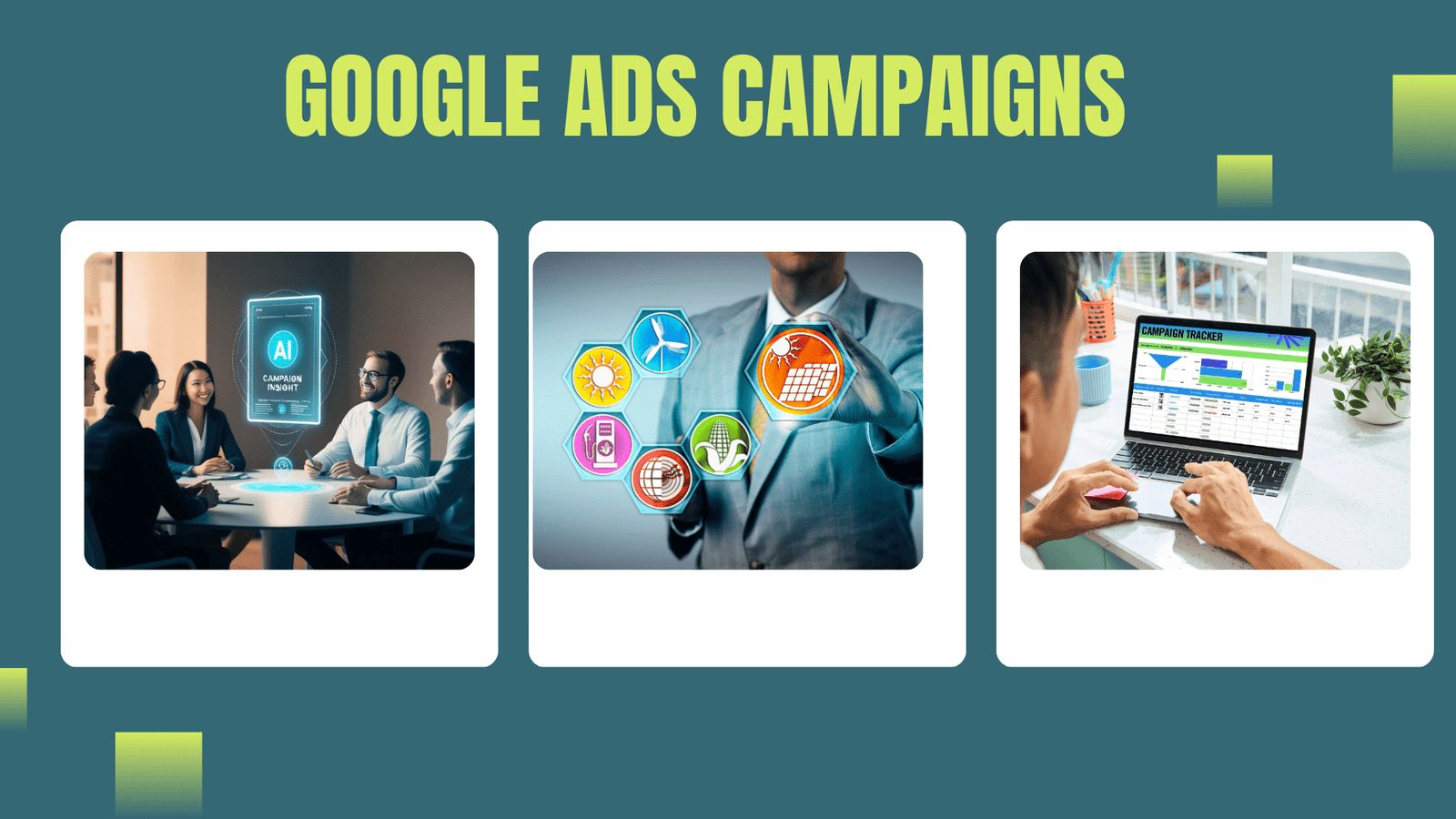
Table of Contents
What Is Google Ads? How Google Ads Works for Business Growth
Google Ads is an online advertising platform by Google that helps businesses promote their products and services to people who are actively searching for them on Google. It allows businesses to show ads on Google Search results, YouTube, websites, and mobile apps. Google Ads works on a pay-per-click (PPC) model, which means you pay only when someone clicks on your ad. This makes it a cost-effective option for businesses of all sizes looking to increase visibility, website traffic, and leads.
How Google Ads Works for Business Growth is simple and powerful. Businesses choose keywords related to their products or services, set a daily budget, and create ads targeting specific locations, devices, and audiences. When users search for those keywords, Google runs an ad auction and shows the most relevant ads. With proper targeting, smart bidding, and regular optimization, Google Ads helps businesses get instant traffic, generate high-quality leads, increase sales, and achieve faster growth compared to organic methods.
Google Ads Campaign Types: Search, Display, Video & More
Google Ads Campaign Types help businesses advertise across different Google platforms based on their marketing goals. Each campaign type is designed to target users in a specific way, whether the goal is to generate leads, increase brand awareness, drive website traffic, or boost sales. Choosing the right Google Ads campaign type ensures better performance and faster business growth.
Search Ads (Google Search Ads for Lead Generation & Sales)
Search Ads appear at the top of Google search results when users actively search for specific products or services. These ads target high-intent keywords, making them one of the most effective Google Ads formats for lead generation, phone calls, website traffic, and direct sales. Search Ads work especially well for local businesses and service-based companies.
Display Ads (Google Display Network Ads for Brand Awareness)
Display Ads are visual banner ads shown across millions of websites, mobile apps, and Gmail through the Google Display Network. These ads help businesses increase brand awareness, stay visible to potential customers, and reconnect with previous website visitors using remarketing. Display Ads are ideal for building long-term brand recall at a lower cost.
Video Ads (YouTube Ads for Engagement & Brand Visibility)
Video Ads are shown on YouTube and Google partner platforms in formats like skippable, non-skippable, and in-feed ads. They help businesses tell their brand story, showcase products or services, and improve engagement. Video Ads are highly effective for brand visibility, audience reach, and increasing user trust.
Shopping Ads (Google Shopping Ads for eCommerce Products)
Shopping Ads display product images, prices, offers, and store information directly on Google Search and Shopping results. These ads attract ready-to-buy customers and improve product visibility for eCommerce businesses. Shopping Ads are highly effective for increasing online sales, product clicks, and conversion rates.
Performance Max Campaigns (Performance Max Google Ads for Conversions)
Performance Max is an automated Google Ads campaign type that runs across Search, Display, YouTube, Gmail, Discover, and Shopping. Using machine learning, it optimizes bidding, placements, and creatives to deliver maximum conversions. Performance Max campaigns are ideal for businesses looking to scale leads and sales with minimal manual effort.
App Campaigns (Google App Ads for Mobile App Promotion)
App Campaigns promote mobile applications across Google Search, Play Store, YouTube, and the Display Network. These campaigns focus on driving app installs, in-app actions, and user engagement. App Ads are best suited for businesses and startups aiming to grow their mobile app user base efficiently.
Google Ads Account Setup Step-by-Step – Complete Beginner’s Guide
This guide explains Google account setup for Google Ads in a very simple way. It helps beginners create a Google Ads account, set basic details, control budget, and start running ads easily. A proper Google ac
Create Google Account Setup (Google Ads Account Creation for Beginners)
Sign in using your Gmail or business email ID to complete the Google account setup. This step gives you access to the Google Ads dashboard, ad campaign tools, billing settings, and reporting features needed for online advertising and PPC marketing.
Open Google Ads & Choose Expert Mode (Google Ads Expert Mode Setup)
Visit the Google Ads platform, click Start Now, and switch to Expert Mode. Expert Mode allows full control over campaign creation, bidding strategies, keyword targeting, ad formats, and conversion tracking for better Google Ads optimization.
Enter Business Details (Business Profile & Account Settings in Google Ads)
Add your business name, website URL, physical location, time zone, and currency. Correct business details ensure accurate ad targeting, location-based advertising, proper billing, and reliable Google Ads performance reports.
Select Campaign Type & Goal (Google Ads Campaign Types & Objectives)
Choose the right Google Ads campaign type such as Search Ads, Display Ads, or Performance Max based on your marketing goal. Select objectives like lead generation, website traffic, phone calls, or online sales for better campaign results.
Set Budget, Targeting & Keywords (Google Ads Budget Planning & Keyword Research)
Define your daily Google Ads budget, target location and language, and select high-intent, long-tail, and local keywords. Proper targeting and keyword research help improve Quality Score, reduce CPC, and increase conversions.
Create Ad, Add Billing & Launch (Google Ads Ad Creation & Payment Setup)
Write high-converting ad copy with strong calls to action, add billing and payment details, review campaign settings, and launch your Google Ads campaign. Regular monitoring and optimization help improve CTR, leads, and ROI.
count setup makes it easier to reach the right customers and get leads without any confusion.
Google Ads Cost in Pune, India – Budget Planning Guide for Businesses
Budget planning for Google Ads in India starts with setting a daily or monthly budget based on business goals such as lead generation, website traffic, or sales. Keywords with high competition usually have higher cost per click (CPC), while local and niche keywords are more affordable. By choosing the right keywords, targeting the correct audience, and regularly optimizing campaigns, businesses can reduce ad spend and increase return on investment (ROI). Proper budget planning ensures better performance, more leads, and steady business growth through Google Ads.
Google Ads Strategy to Generate High-Quality Leads & Sales
Define Clear Marketing Goals (Google Ads Goals, Lead Generation & Sales Strategy)
Set clear Google Ads marketing goals such as lead generation, website traffic growth, phone call inquiries, or eCommerce sales before launching campaigns. Defining objectives helps choose the right Google Ads campaign type, bidding strategy, and success metrics for better ROI.
Choose the Best Campaign Types (Search Ads, Performance Max & YouTube Ads Strategy)
Select the right Google Ads campaign types based on business goals. Use Google Search Ads for high-intent keywords and instant leads, Performance Max campaigns to reach users across all Google platforms, and YouTube Video Ads to boost brand awareness and audience engagement.
Target High-Intent & Long-Tail Keywords (Keyword Research for Google Ads)
Focus on buyer-intent keywords, long-tail search queries, and location-based keywords to attract users who are actively looking to convert. Proper Google Ads keyword research reduces wasted spend and improves conversion rate and Quality Score.
Use Smart Audience Targeting (Geo Targeting, Remarketing & Demographics)
Apply geo-targeting, demographic targeting, in-market audiences, and remarketing lists to reach the most relevant users. Smart audience targeting in Google Ads improves ad relevance, click-through rate, and overall campaign performance.
Write High-Converting Ad Copy (Google Ads Copywriting & Ad Extensions)
Create persuasive Google Ads ad copy with strong calls to action like Call Now, Get Quote, and Book Appointment. Use ad extensions such as call extensions, sitelinks, and location extensions to increase visibility, CTR, and lead quality.
Optimize Landing Pages for Conversions (Landing Page Optimization for PPC)
Ensure landing pages are mobile-friendly, fast-loading, and conversion-focused. Clear headlines, simple lead forms, trust signals, and strong CTAs help turn Google Ads traffic into quality leads and sales.
Set Budget & Bid Smartly (Google Ads Budget, CPC & Bidding Strategy)
Plan your Google Ads budget carefully using PPC bidding strategies like maximize conversions, target CPA, or manual CPC. Start with a daily budget, monitor cost per click, and adjust bids to improve ROAS and campaign efficiency.
Track & Measure Performance (Google Ads Conversion Tracking & Analytics)
Set up Google Ads conversion tracking and connect it with Google Analytics to measure campaign success. Track key performance metrics such as CPC, CTR, conversion rate, cost per lead, and ROAS for data-driven optimization.
Test & Improve Constantly (Google Ads Optimization & A/B Testing)
Continuously optimize Google Ads campaigns by running A/B tests on ad headlines, descriptions, keywords, audiences, and landing pages. Pause low-performing ads and scale high-performing campaigns to achieve consistent growth and higher ROI.
What Is Google Ads Manager & How It Works
Google Ads Manager (MCC) is a single dashboard that helps businesses and agencies manage multiple Google Ads accounts from one place. It makes ad management easier, improves campaign performance tracking, and helps scale PPC advertising efficiently.
How Google Ads Manager Works (Short)
Centralized Control – Manage all Google Ads accounts in one dashboard.
Easy Account Linking – Link or create accounts and control user access.
Performance Tracking – Monitor CTR, CPC, conversions, and ROAS in real time.
Budget & Billing Control – Track ad spend and optimize Google Ads cost.
Team Management – Assign roles for secure client and team access.
Faster Optimization – Improve keywords, bids, and targeting to boost leads and sales.
How Google Ads Helps in Lead Generation for Small Businesses
Google Ads helps small businesses generate high-quality leads quickly and cost-effectively by targeting potential customers at the moment they are searching online. With PPC advertising, high-intent keywords, and local targeting, Google Ads connects your business with people ready to take action — whether that means submitting a form, calling your phone number, or making a purchase. This makes it one of the most powerful lead generation strategies for small and local businesses in today’s digital marketing landscape.
How Google Ads Helps in Lead Generation for Small Businesses
Target High-Intent Keywords
Google Ads lets you bid on high-intent search keywords like best service near me, affordable solutions in Pune, or book online now, which attract ready-to-convert prospects.Local & Geo-Targeted Ads
With local Google Ads targeting and location-based bidding, small businesses can show ads to users in specific cities, neighborhoods, or regions to get local leads at lower costs.PPC Advertising with Budget Control
Small businesses can start with low daily budgets and pay only when someone clicks the ad (PPC), making Google Ads cost-effective with better ROI and cost per lead (CPL) control.Compelling Ad Copy & Extensions
Creating strong headlines with call extensions, sitelinks, and lead form extensions increases click-through rate (CTR) and helps capture more qualified leads.Conversion Tracking & Analytics
Using Google Ads conversion tracking and Google Analytics, small businesses can measure leads from form submissions, phone calls, and website actions to optimize campaigns for better results.Remarketing for Lead Nurturing
With remarketing ads, businesses can retarget past website visitors who didn’t convert, increasing the chances of turning them into leads over time.Smart Bidding Strategies
Tools like Target CPA and Maximize Conversions help automatically optimize bids for more leads at a lower cost per acquisition (CPA).
Top Benefits of Google Ads for Small & Large Businesses
Instant Online Visibility – Get your business on top of Google search results and reach potential customers immediately.
High-Intent Traffic – Target users actively searching for your products or services using high-converting keywords.
Cost-Effective PPC Advertising – Pay only when users click on your ads, making Google Ads budget-friendly and ROI-driven.
Advanced Audience Targeting – Reach customers by location, device, interests, demographics, and search behavior.
Scalable for Business Growth – Easily increase or decrease your ad budget based on performance and business goals.
Fast Lead Generation – Generate quality leads and sales faster compared to organic marketing methods like SEO.
Measurable & Data-Driven Results – Track clicks, conversions, cost per lead, and return on ad spend in real time.
Strong Brand Awareness – Build brand visibility through Search, Display, YouTube, and remarketing campaigns.
Works for All Business Sizes – Ideal for startups, small businesses, and large enterprises looking for growth.
Conclusion: Why Google Ads Is Best for Small Business Lead Generation
Google Ads helps small businesses get quick, targeted, and high-quality leads with full budget control. By reaching customers who are actively searching, it delivers measurable results and supports consistent business growth.